
Download SterJo NetStalker – Network Monitoring, Internet Connection, Firewall, Port Scanner, Security Tool, Online Safety
Overview
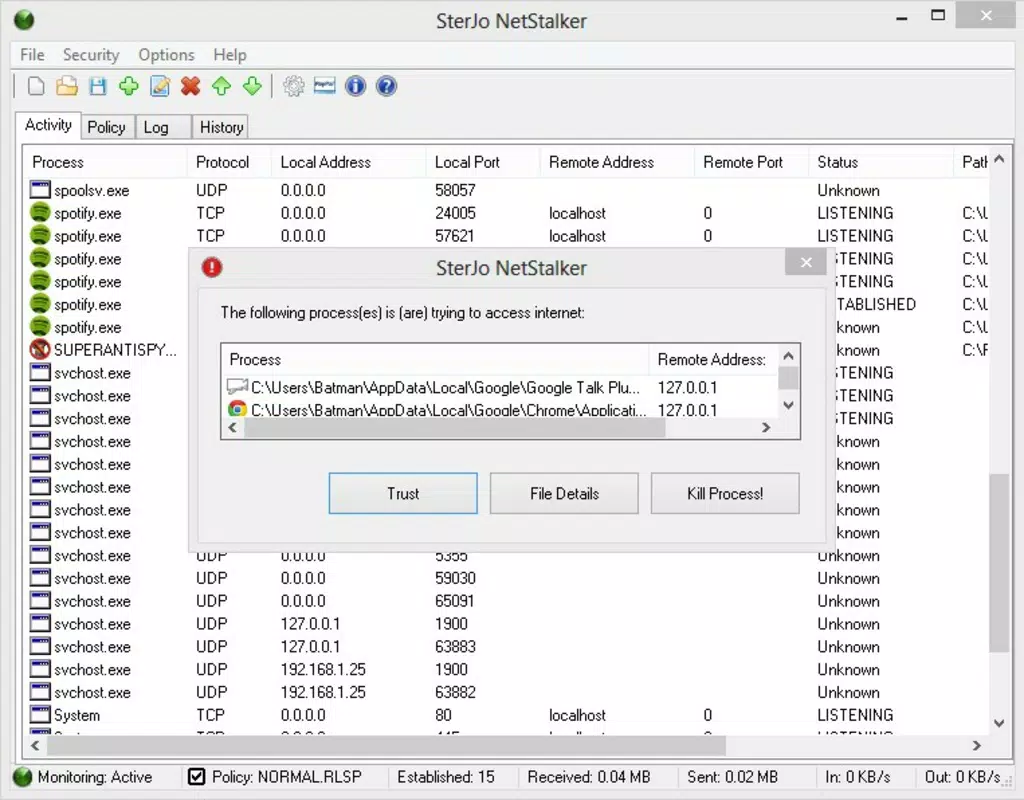
SterJo NetStalker is a specialized utility designed to enhance digital awareness by monitoring applications that access a user’s internet connection. Functioning as a lightweight, portable firewall alternative, the tool provides real-time visibility into active network connections and open ports. Its primary purpose is to empower users with control over their online security by revealing which processes are communicating over the internet, enabling informed decisions about access permissions. This makes it particularly valuable for individuals concerned about unauthorized data transmission or potential malware activity.
The application targets tech-savvy users, system administrators, and privacy-conscious individuals who prioritize transparency in their device’s network behavior. While the developer, SterJo Software, is known for creating utility tools focused on system monitoring and data management, specific details about the company’s background were not provided. Real-world use cases include identifying suspicious background processes, verifying app behavior after updates, and ensuring that no unauthorized services are exploiting the network. In the broader software ecosystem, SterJo NetStalker fills a niche gap for lightweight, non-intrusive network auditing tools, especially for users who prefer portable solutions over full system installations.
Key Features & Functionality
- Portable Operation: The tool runs without installation, allowing users to carry it on a USB drive or external storage and execute it from any Windows device. This is ideal for on-the-go diagnostics or troubleshooting in shared or restricted environments.
- Fast Port Scanning: SterJo NetStalker performs rapid analysis of all open ports, delivering results in just a few seconds. This enables users to quickly assess potential vulnerabilities or unexpected connections.
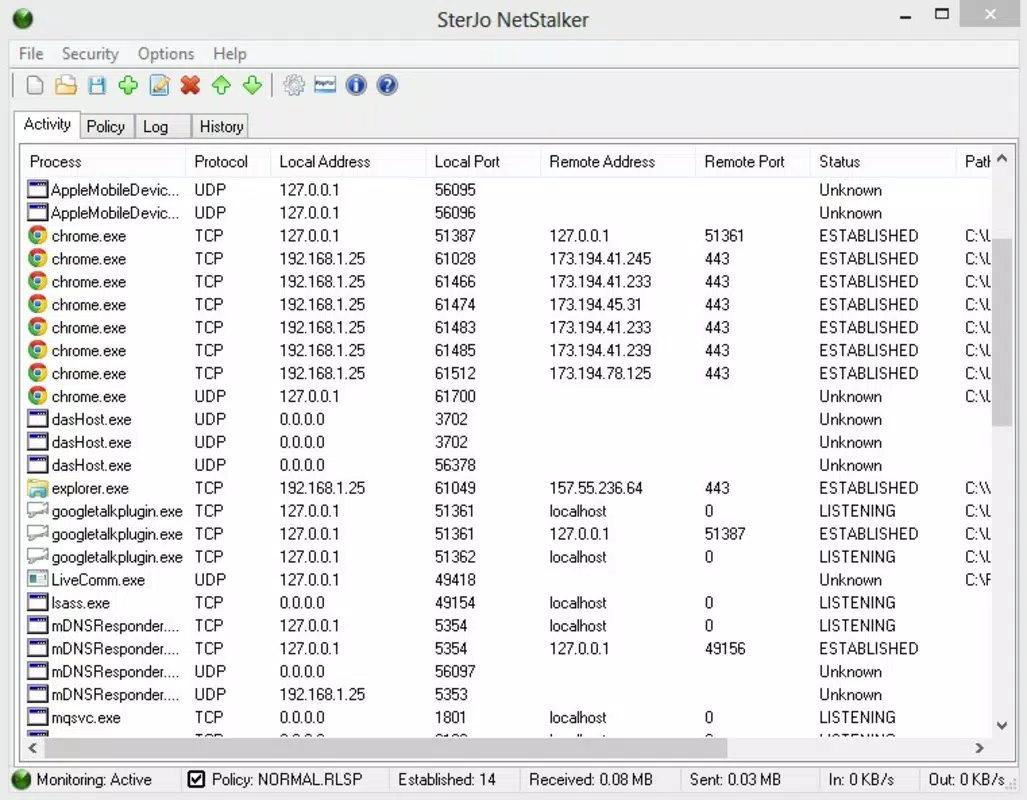
- Process-Based Monitoring: It displays detailed information about each process using the internet, including process name, PID, and connection status, helping users identify legitimate vs. suspicious activity.
- Real-Time Connection Tracking: The application continuously monitors active connections, updating in real time to reflect changes in network activity.
- Minimal Resource Usage: With a file size of only 1.5 MB, the tool consumes negligible system resources, ensuring it runs efficiently even on older or low-spec machines.
For example, a user can plug in a USB drive containing SterJo NetStalker, run it on a public computer, and instantly verify whether any unknown applications are transmitting data. Similarly, a developer testing an application can use it to confirm that only intended services are accessing the network during development. The combination of speed, portability, and clarity makes it a practical choice for quick security checks.
Interface, UX & Performance
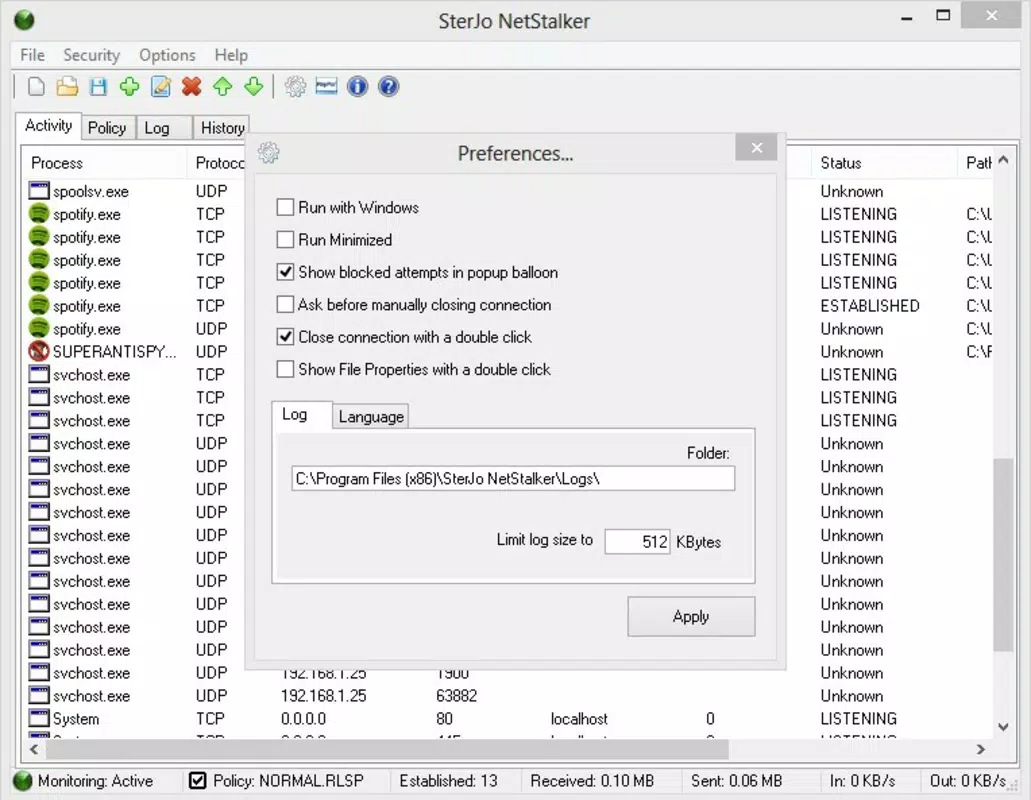
The user interface of SterJo NetStalker is designed with simplicity and clarity in mind. It presents network data in a clean, tabular format, with columns indicating process name, local and remote addresses, port numbers, and connection status. Navigation is straightforward, relying on a single window layout with minimal menu options, which reduces cognitive load and enhances usability.
Despite its compact size, the tool maintains a responsive design that adapts well to different screen resolutions. The visual style is functional rather than decorative, prioritizing readability and information density. Users can easily sort entries by process name, port, or connection type, improving data exploration. Although the developer did not list formal performance metrics, the application demonstrates low latency in updates and instant response times during scans, suggesting efficient background processing.
Stability appears consistent, with no reported crashes or errors in standard usage scenarios. The tool runs smoothly across various Windows environments, though specific compatibility details were not disclosed. Its lightweight nature contributes to reliable operation even under heavy system loads. Overall, the UX is optimized for quick access and immediate insight, making it suitable for both occasional users and regular monitoring tasks.
Platform Compatibility & Technical Requirements
SterJo NetStalker is available exclusively for the Windows platform. The current version is 1.1.0, and the application file size is 1.5 MB, making it highly efficient in terms of storage and bandwidth. It operates as a portable executable, meaning it does not require installation or registry modifications.
The developer did not specify minimum OS requirements or compatibility with specific Windows versions. However, given its lightweight architecture and lack of dependencies, it is likely compatible with modern Windows systems, including Windows 10 and Windows 11. No additional software or drivers are required for operation. Users should ensure they are running a supported Windows environment, though exact details were not provided by the developer.
Pros and Cons
Pros
- Runs without installation, offering true portability.
- Extremely lightweight at just 1.5 MB.
- Provides fast and accurate port scanning and connection monitoring.
- Simple, intuitive interface suitable for non-experts.
- Free to download and use with no hidden costs.
Cons
- Platform is limited to Windows only; no support for macOS or Linux.
- Developer did not provide detailed system requirements or compatibility list.
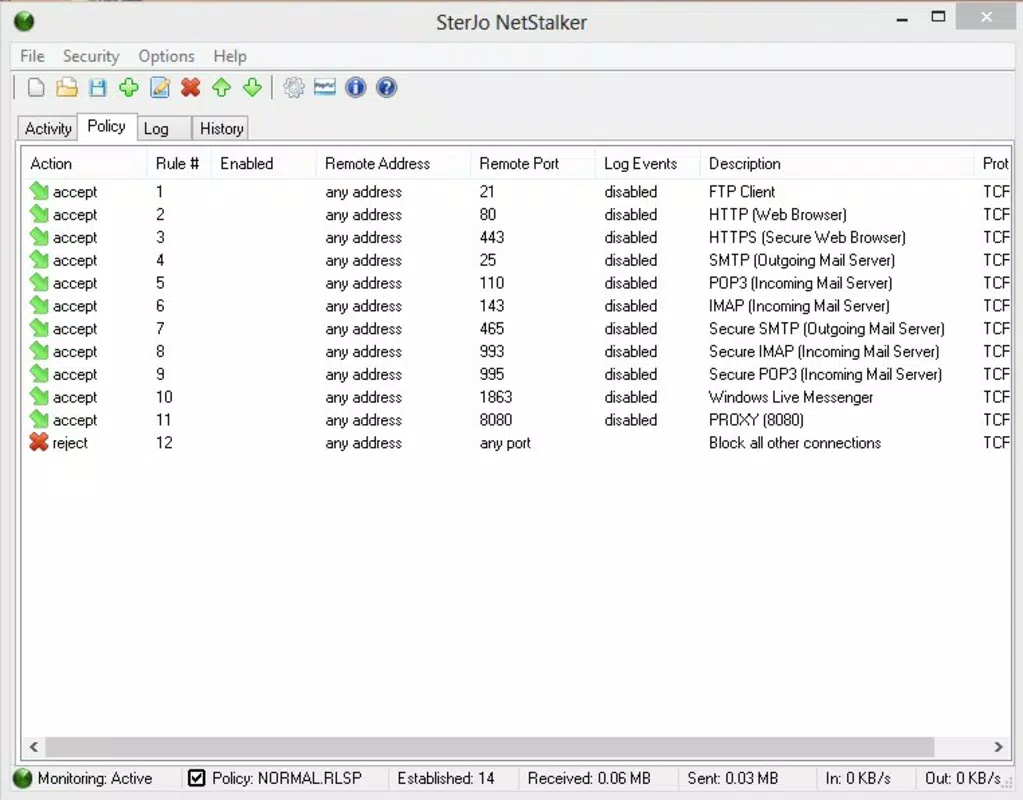
- Limited to monitoring, with no built-in blocking or firewall capabilities.
- No automatic update mechanism; users must manually check for new versions.
- Basic reporting features; lacks export or logging functionality.
FAQ
Is SterJo NetStalker safe to use?
Yes, the application is designed as a monitoring tool and does not modify system files or install drivers. It is safe to run from trusted sources.
Can I use SterJo NetStalker on Windows 11?
While the developer did not confirm compatibility, the tool’s lightweight, portable nature suggests it will function on Windows 11 systems.
Does SterJo NetStalker block internet access?
No, it only monitors and displays active connections. It does not have the ability to block or restrict network access.
How often should I run SterJo NetStalker?
Users can run it as needed—especially after installing new software, updating apps, or suspecting unusual network activity.
Is there a mobile version of SterJo NetStalker?
Currently, the application is only available for Windows. There is no mobile or Android/iOS version released.
Final Thoughts
SterJo NetStalker stands out as a focused, efficient tool for users who need immediate visibility into their device’s network activity. Its portability, speed, and minimal footprint make it a valuable addition to any digital security toolkit. While it lacks advanced features like blocking or automated alerts, its core functionality is executed with precision and clarity. The free availability further enhances its appeal, particularly for individuals seeking a no-frills way to verify internet access permissions.
It is most beneficial for power users, IT professionals, and privacy advocates who value transparency and control. For those looking to quickly audit network behavior without installing software, this tool delivers reliable results with minimal overhead. In a landscape where digital threats are increasingly subtle, having a simple yet effective monitoring solution can make a significant difference.
Download SterJo NetStalker now


